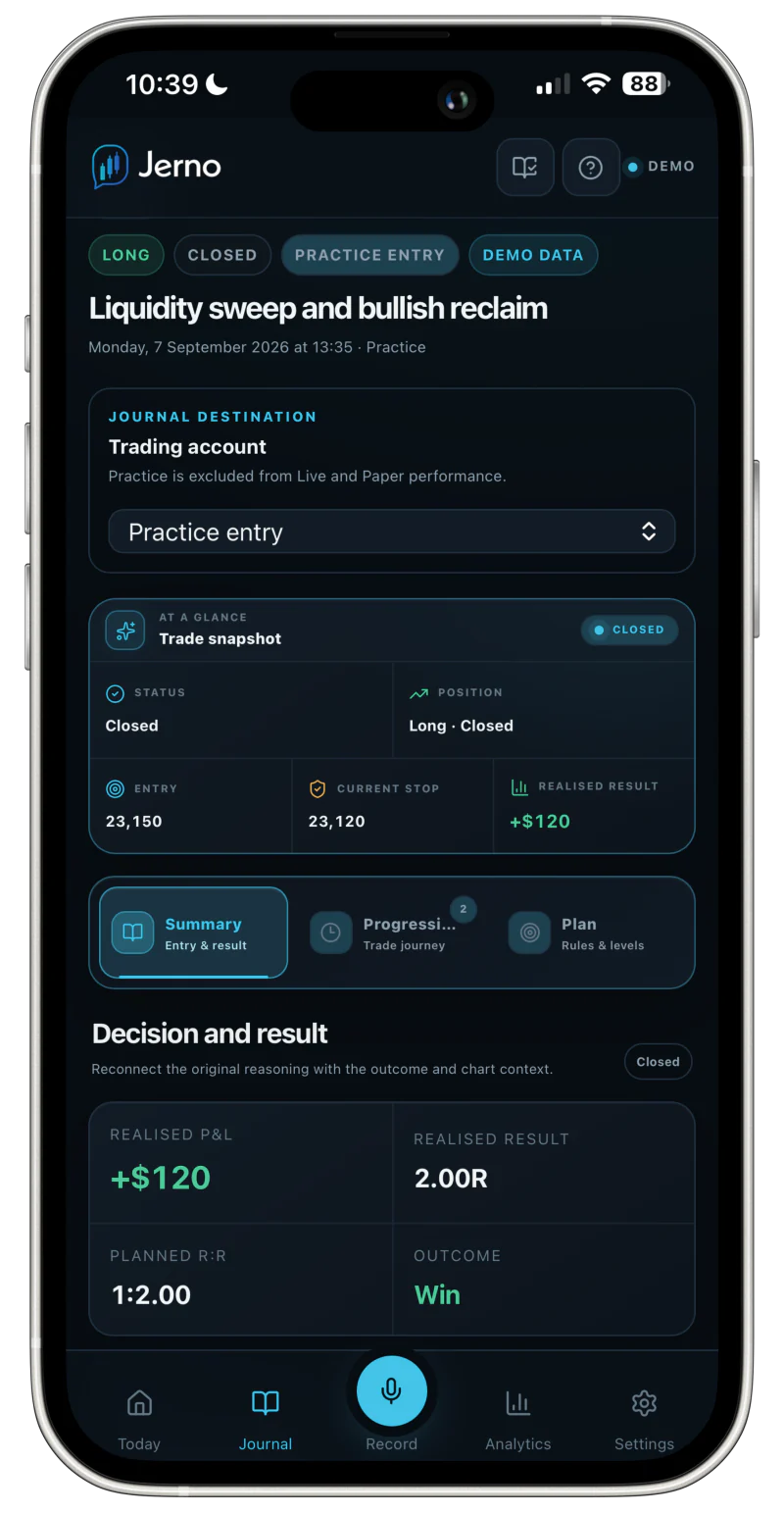
FROM YOUR PLATFORMThe trade details.Instrument · Price · Time
FROM YOUThe reason behind them.Your setup. Your state of mind.
Actual product screen · Example practice entry
No order placement Review before import Broker connection optional
01 / FIND YOUR WAY IN
Your platform. A clear way in.
Check what’s available in the beta. The method matters as much as the name.
Reviewed file imports
You export. You check. You confirm.
Supported
TradovateCompatible CSV export
Bring a compatible execution export into Jerno. Check the preview, then confirm the rows you want to import.
File import only. No automatic sync or broker password required.
NinjaTraderCompatible CSV export
Use a compatible trade-history export. Review the recognised trade details before adding them to your journal.
File import only. No automatic sync or broker password required.
TradeStationCompatible CSV export
Import a compatible export, check how its columns are recognised and resolve any warnings before confirming.
File import only. No automatic sync or broker password required.
TopstepXCompatible CSV export
Bring compatible execution history into Jerno through a file import that you review and confirm.
File import only. No automatic sync or broker password required.
Compatible export formats are required. Platform and export versions can differ.
Controlled pilot
READ-ONLY DESKTOP BRIDGE
MetaTrader 5
Supported trade events, sent from your MT5 desktop terminal to your private Jerno workspace.
Available to approved pilot testers
Requires the MT5 desktop terminal
Cannot place, change or cancel orders
Pilot details
The bridge uses a private Jerno token, not your broker password. Supported closing events and partial exits can update the trade evidence. Notifications depend on device support and permission.
Never put passwords, API keys or tokens in journal entries or support messages.
Your history stays with you.
Disconnecting a bridge stops future sync. It doesn’t erase your existing journal.
A little more clarity
A few things worth knowing.
Do I need to connect a broker to use Jerno?
No. You can start with voice or typed entries. A supported import or bridge adds trade details to your workflow; it is never required to keep a journal.
Which platforms sync automatically?
Only the controlled MT5 desktop bridge pilot receives supported ongoing trade events. Tradovate, NinjaTrader, TradeStation and TopstepX currently use compatible files that you export, preview and confirm. A listed platform does not imply automatic synchronisation.
What happens if my export has missing details?
Jerno shows missing fields and mapping warnings for you to review. Exports can differ by platform and version. Rows with errors need fixing before import; unclear position matches stay in Broker review rather than silently changing your journal analytics.
Can I keep trades in different currencies?
Yes. Retain the result in the trade’s account currency and convert it to your journal currency using a confirmed exchange rate. Different currencies are not simply added together.
Will every trade trigger a notification?
Don’t rely on a notification after every trade. Prompts depend on the supported MT5 pilot workflow, a supported device and notification permission. File imports are not a live notification service.
What if my platform isn’t listed?
You can still journal by voice or text. Use Request a platform to tell us which platform and export format you use. Please don’t send credentials or unredacted account information.
KEEP WHAT THE NUMBERS CAN’T
Your platform records the trade. Jerno keeps the story.
Start with your next thought. Build a journal you’ll want to revisit.



 Controlled pilot