The complete trading journal

See the complete trade.Not just the result.

Capture your reasoning by voice, confirm the execution and review every decision from plan to outcome.

No payment card required.
Complete trade reviewProduct preview
Jerno desktop journal review with an annotated chart
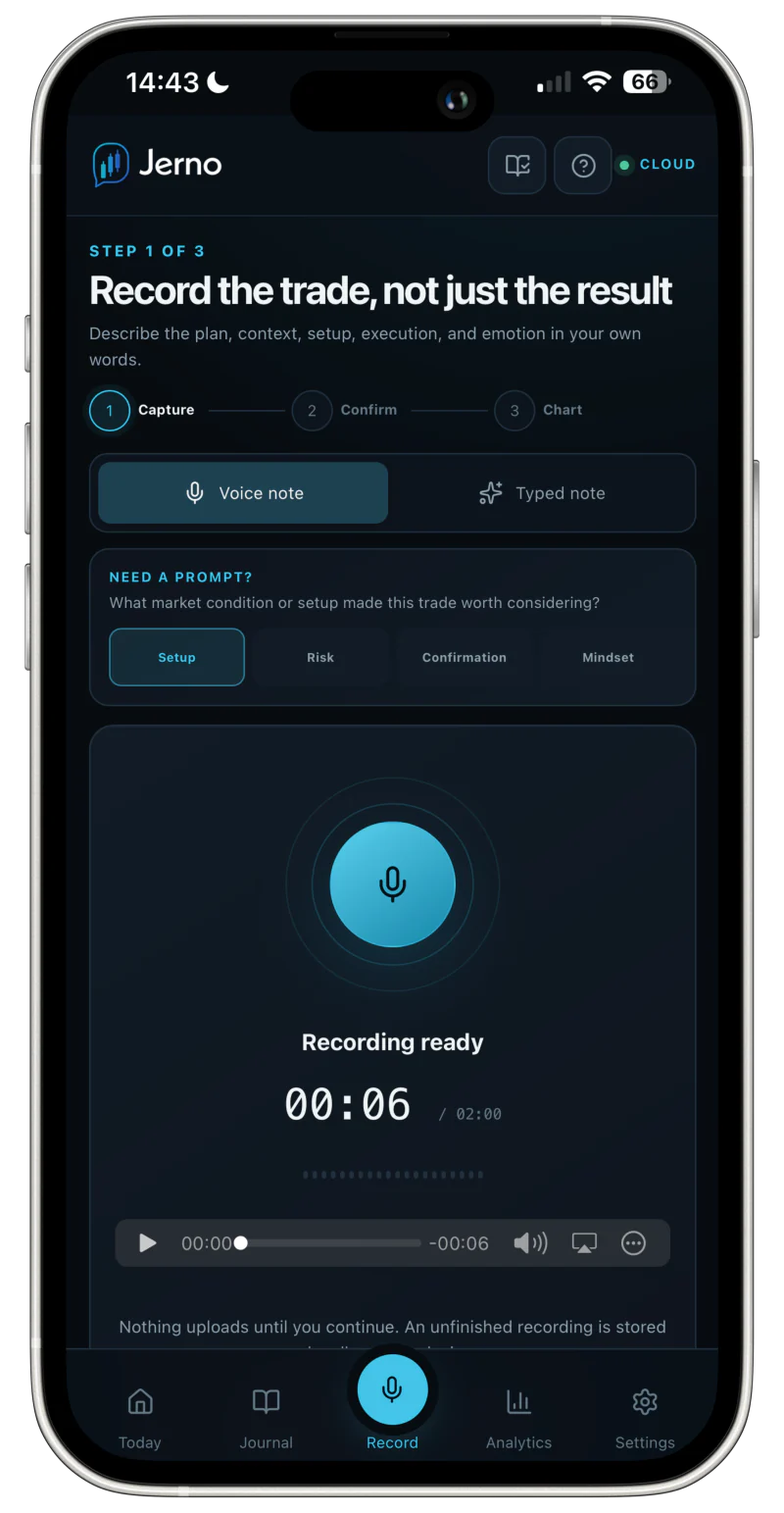
Voice capture
Jerno mobile voice-recording workflow
Trader checkedConfirmed trade facts
DirectionShortEntry1.34767Stop1.34848Target1.34537
Original voice noteAudio and transcript preserved
One connected workflow

From first thought to useful evidence.

Jerno keeps the original decision connected to the facts, the trade review and the patterns that emerge later.

Speak naturally or type the reasoning while the setup is still fresh.

Jerno mobile voice-recording screen
Original voice noteDecision captured · 00:38

“Short GBPUSD after the range rejection. Entry confirmed beneath the session high.”

Typed note available Draft protected
Your record remains editable before it is saved.
Decision versus result

The outcome tells you what happened.The process tells you what to review.

A positive result can still include a recorded rule break. A valid setup can still lose.

Illustrative demo records Not customer results

Trade A+2.1R
Rule adherence48%
Profitable execution error

The result was positive, but important recorded rules were broken.

Trade B−1R
Rule adherence96%
Valid setup loss

The plan was followed, but the setup did not work on this occasion.

Capture the original decision

Speak it. Jerno structures it.

Record naturally while the setup is fresh. Jerno can suggest editable trade details without replacing the original evidence.

  • Less form fillingUse voice or text and recover an unfinished draft after an interruption.
  • Your evidence stays intactKeep the original recording and transcript beside the confirmed entry.
  • Final control stays with youCheck levels, mode, conviction and playbook before saving.
  1. 01Natural note
  2. 02Transcript
  3. 03Suggested facts
  4. 04Confirmed entry
Original voice note00:38

“Short GBPUSD after the range rejection. Entry 1.34767, stop above the high and target back at support.”

Suggested details
Editable before savingConfirm the trade facts
MarketGBPUSDDirectionShortEntry1.34767Stop1.34848Target1.34537Quantity0.20
Live · Conviction 4/5 Final control stays with you
Review the complete trade

Replay every decision.

Return to the original plan, chart, management decisions and final outcome in one connected review.

Annotated chart · Illustrative demo record Product preview
Jerno chart review showing entry, stop, target and exit markersJerno chart review showing entry, stop, target and exit markers
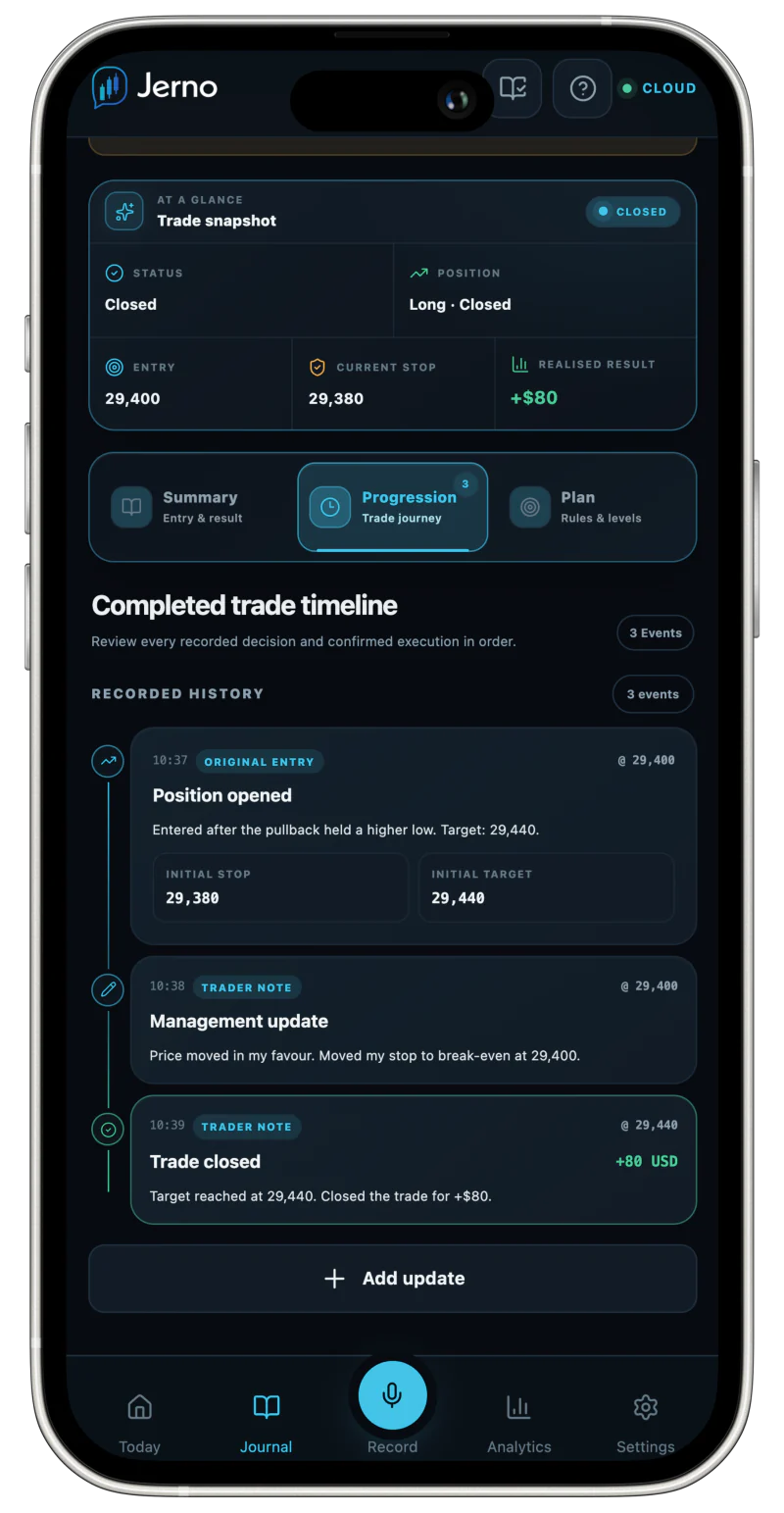
Trade progressionSupported changes stay visible
Closed
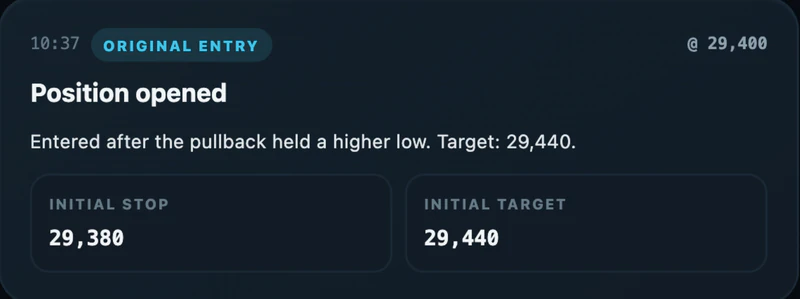
  1. Position openedShort 0.20 · Entry confirmed
  2. Stop moved to breakevenPrice rejected the session high
  3. Partial exit0.10 closed at first objective
  4. Target adjustedFinal target moved to prior support
  5. Trade closedRealised P&L and commission confirmed
Management context preservedReview what changed, when it changed and why.
Chart contextMarkers use the nearest available candle to the recorded time.Management contextKeep supported stop, target, size and exit changes in sequence.Record controlCorrect confirmed facts, export the entry or permanently delete it.
Analytics and playbooks

Know what worked—and why.

Compare setups, conviction and rule adherence without letting one strong result hide a weak process.

Illustrative demo records · Jerno describes past journal evidence, not future outcomes.

Analytics · Recorded evidence Product preview
Jerno analytics with a cumulative curve, performance measures and radarJerno analytics with a cumulative curve, performance measures and radar
Net P&L+$3,480 Selected periodProfit factor2.14Gross wins ÷ lossesMax drawdown−$640Peak to troughRule adherence91% Reviewed trades

From month to moment. Scan daily, weekly and monthly P&L, then open a day to follow cumulative intraday results.

From setup to execution. Compare Setup Match with rule adherence as the sample moves from learning to established.

Connections and devices

Execution facts connected.Trading control untouched.

Jerno can observe supported execution facts, but it cannot place, modify or cancel trades.

See current broker support
Trading platformOrders stay herePlace · Modify · Close
Confirmed execution facts
JernoObserve and journal
  • Fill facts
  • Trade prompts
  • Lifecycle updates
Jerno cannot place, modify or cancel orders.
MetaTrader 5Controlled pilotRead-only desktop bridge
TradovateImport availableReviewed CSV import
NinjaTraderImport availableReviewed CSV import
TradeStationImport availableReviewed CSV import
TopstepXImport availableReviewed CSV import
One signed-in workspace

Capture nearby. Review on the right screen.

Use focused mobile views in the moment, then return to a larger desktop workspace for charts, analytics and deeper review.

  • Home-screen installation from a supported browser
  • Light and dark modes
  • Export and deletion controls
Desktop reviewJerno analytics on desktop
Mobile captureJerno analytics on mobile
Export Correct Private
Complete feature explorer

Every confirmed feature, when you need the detail.

The main story stays focused. Open a group to explore the complete feature set.

Recording and confirmationCapture naturally, then keep control of every saved fact.
Voice-first capture

Record the setup, levels, context and reasoning in your own words.

Typed notes and draft recovery

Type when speaking is impractical and recover an unfinished audio or text draft after an interruption.

Original evidence

Keep the original recording and transcript beside the confirmed journal entry.

Suggested trade details

Jerno can suggest the market, direction, levels, quantity, timeframe, setup and reasoning for you to check.

Editable confirmation

Correct every suggested field before the entry is saved.

Trade conviction

Record an optional one-to-five conviction rating before the outcome is known.

Trade modes

Keep live, paper and practice entries clearly identified throughout the product.

Playbook link

Connect the trade to a named setup and its pre-trade checklist.

Journal and trade lifecycleReview the original plan and the supported decisions made after entry.
Searchable journal

Find entries by market, setup, date and other recorded details.

Supported trade progression

Follow recorded stop changes, target adjustments, scale-ins, partial exits and final closure chronologically.

Management explanations

Add the reason behind a stop, target or position-size change.

Confirmed outcomes

Record target fills, stop fills, manual exits, fees and realised P&L.

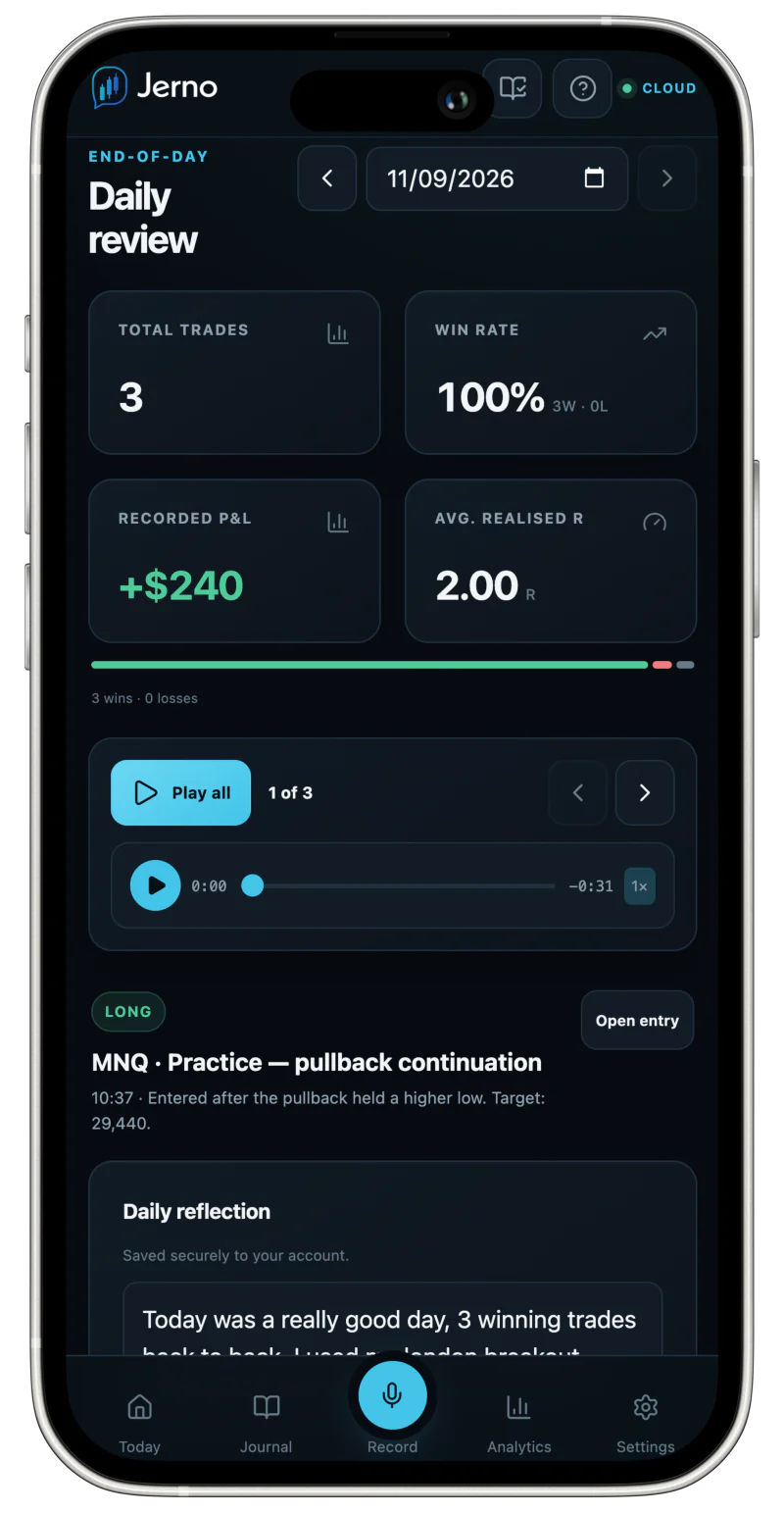
Daily review

Replay the session trade by trade and preserve a short end-of-day reflection.

Record control

Edit confirmed details, export an individual entry or permanently delete it.

Charts and market contextPut the decision back on the chart instead of reviewing isolated figures.
Annotated candlestick charts

Display confirmed entry, stop, target and exit levels against available market context.

Recorded trade moments

Mark the candles nearest to the confirmed entry and exit times.

Chart source status

See whether the chart uses available historical context or clearly labelled synthetic context.

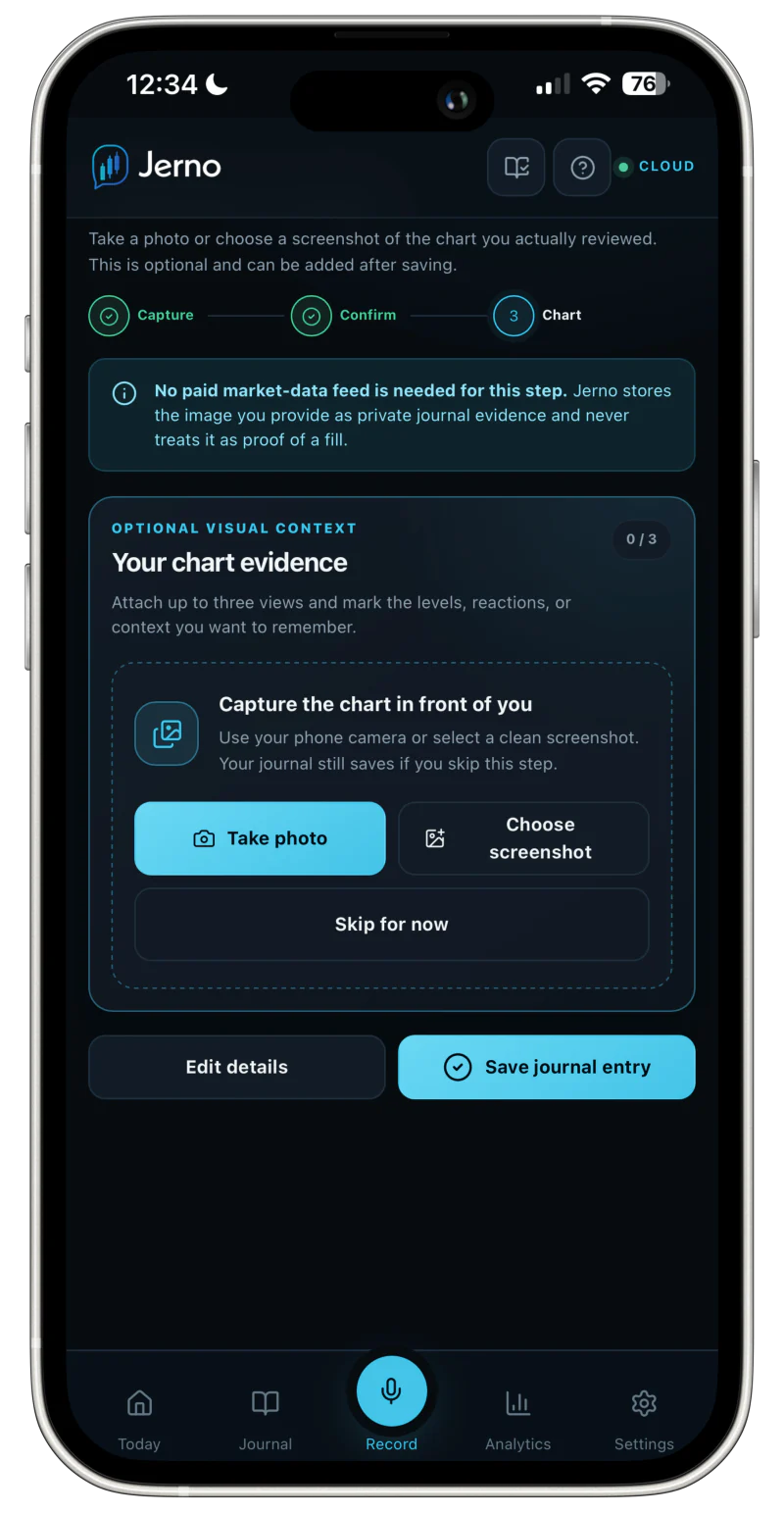
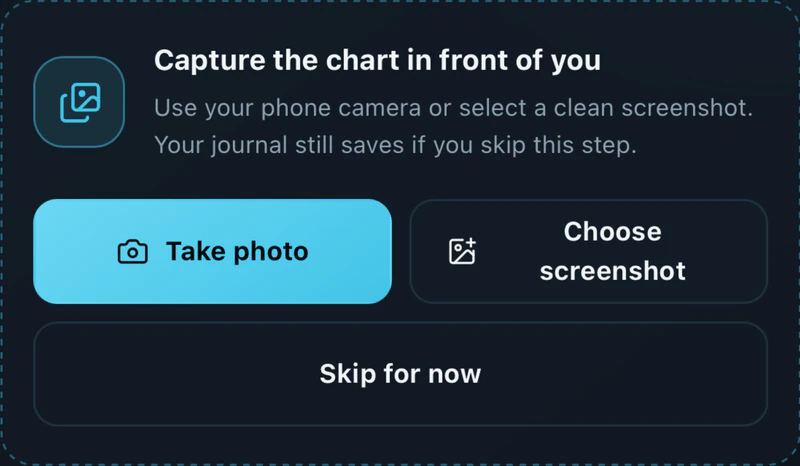
Manual chart upload

Attach PNG, JPEG or WebP chart evidence when automatic context is unavailable.

AnalyticsUnderstand how recorded results were produced, not only the final P&L.
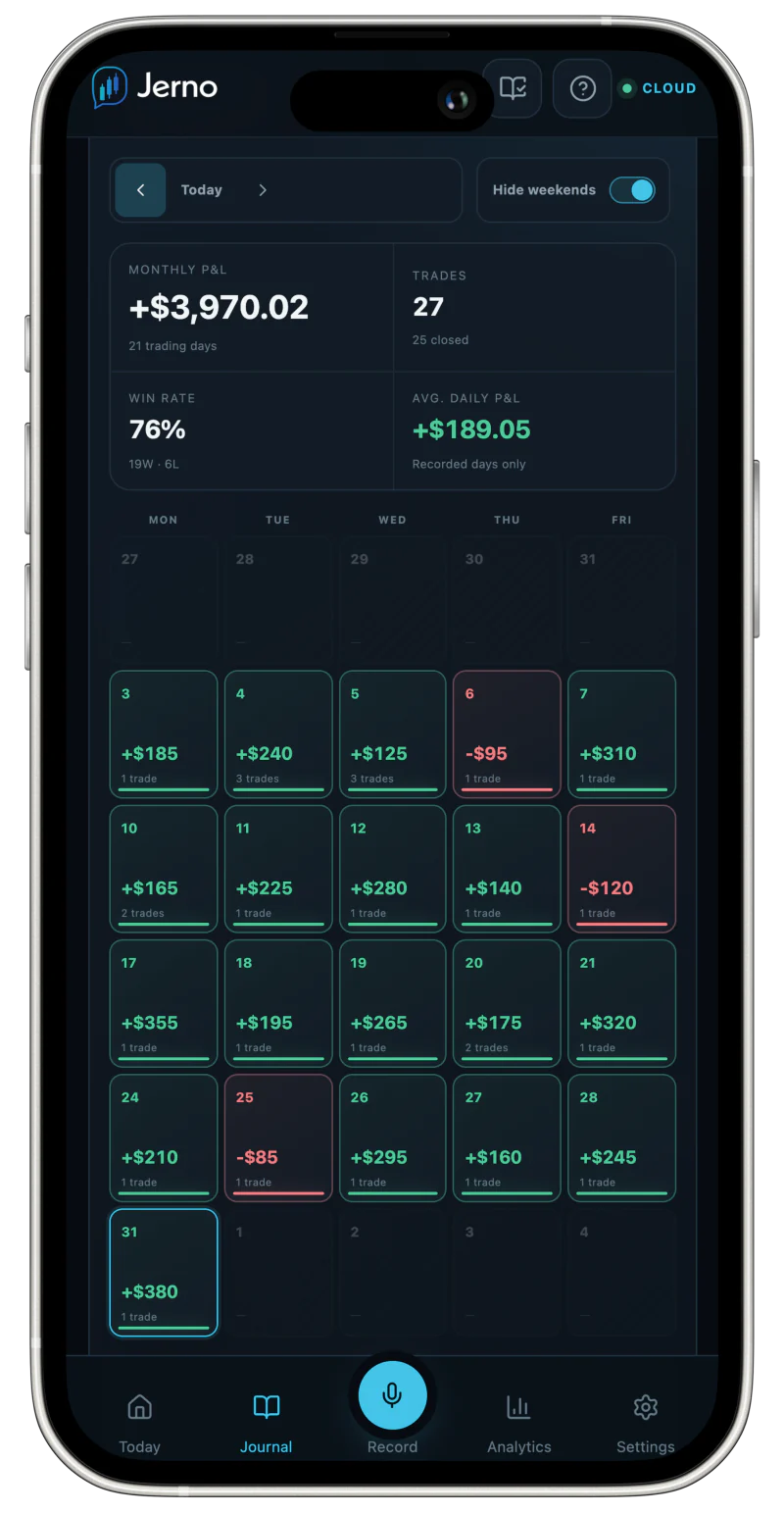
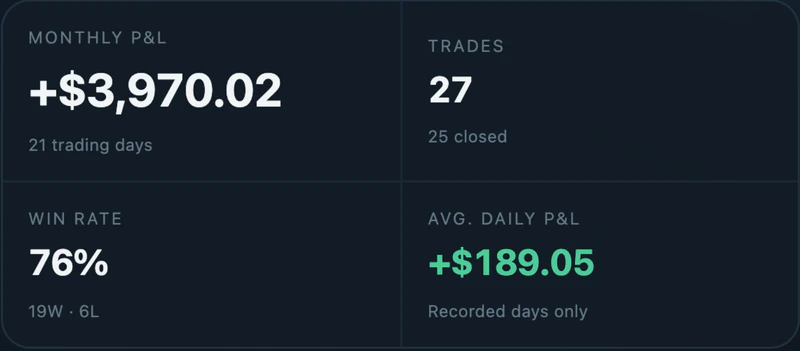
P&L calendar

Scan daily results, weekly totals and monthly P&L, with an option to hide weekends.

Daily breakdown

See each trade and how cumulative P&L evolved through the session.

Flexible periods

Review seven, 30 and 90 days, a custom range or all recorded history.

Performance measures

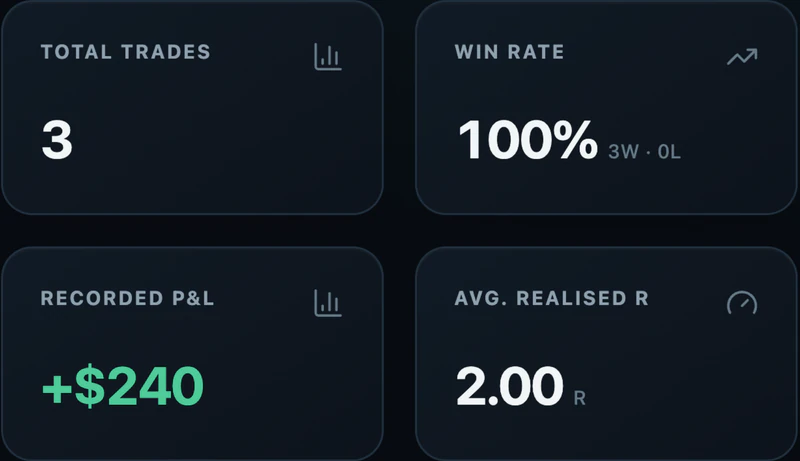
Review net P&L, win rate, profit factor, expectancy, average winner and loser, drawdown, best and worst days and realised risk-to-reward.

Performance breakdowns

Compare recorded evidence by market, setup and pre-trade conviction.

Performance radar

View win rate, profit factor, expectancy, drawdown control, consistency and rule adherence together.

Evidence filters

Filter live, paper and practice entries without treating practice results as live performance.

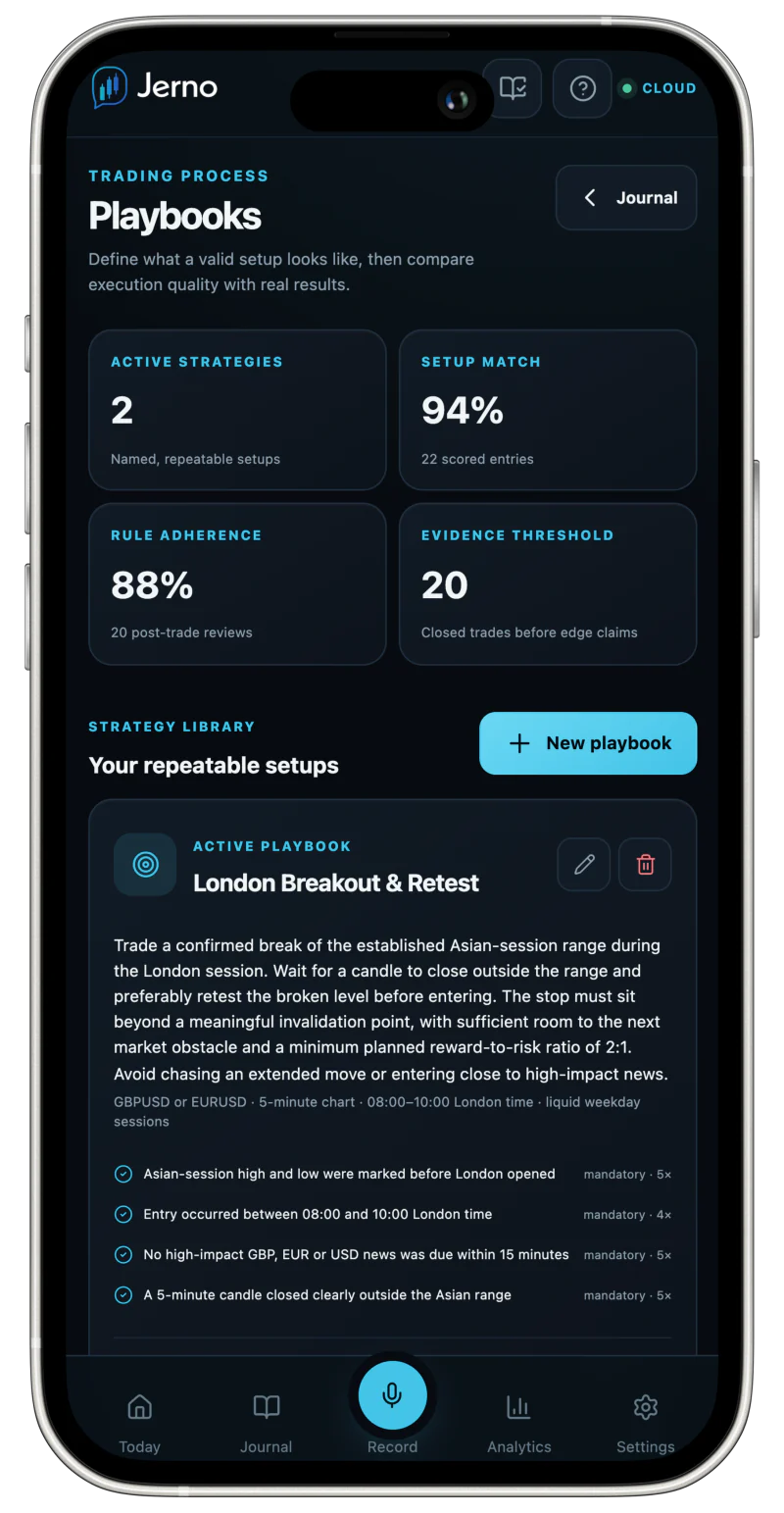
Trading playbooksDefine a valid setup before seeing the result.
Named strategies

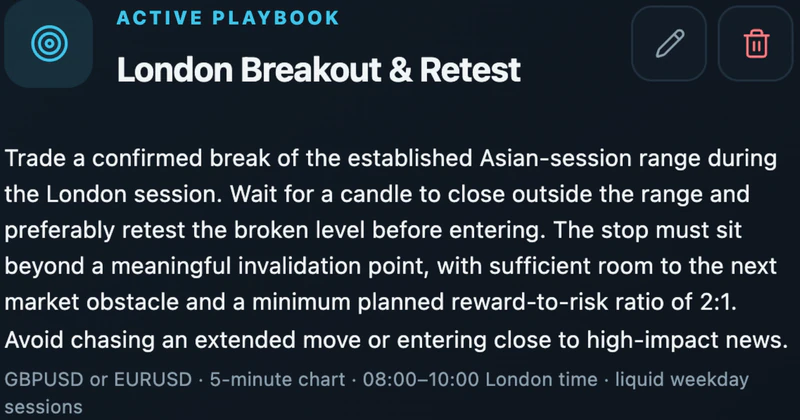
Build repeatable playbooks with entry, management and exit rules.

Rule importance

Mark rules mandatory or optional and weight the conditions that matter most.

Setup Match

Record which entry conditions were present before the outcome is known.

Rule adherence

Review rules as followed, broken or not applicable after the trade.

Decision classification

Separate a valid setup loss from an execution error involving a recorded rule break.

Evidence thresholds

Keep small samples in a learning stage until at least 20 closed trades are available.

Broker connections and importsCombine supported execution facts with the reasoning only you can provide.
Read-only connections

Observe supported executions without permission to place, modify or cancel orders.

MetaTrader 5 controlled pilot

Use a read-only desktop bridge for supported executions, partial exits and stop or target updates.

Execution prompts

When enabled on a supported device, open the recording flow from a private notification after a supported execution.

Reviewed CSV imports

Preview compatible Tradovate, NinjaTrader, TradeStation and TopstepX execution exports before confirming them.

Mapping and warnings

Check recognised columns, skipped rows and possible issues before confirming an import.

Multi-currency reporting

Keep the account result in its original currency and use a confirmed rate for journal reporting.

Today and notificationsSee the trading day and the next action within seconds.
Immediate recording

Open Jerno to a prominent voice and typed capture workflow.

Today at a glance

Scan daily P&L, win rate, profit factor, average wins and losses and trade outcomes.

Action inbox

Find open trades, supported executions awaiting a note and entries requiring review.

Broker execution alerts

When notifications are enabled on a supported device, receive a prompt after a supported execution.

Devices, settings and privacyCapture nearby, review deeply and keep control of the record.
Mobile and desktop

Use the same signed-in cloud workspace for focused mobile capture and detailed desktop review.

Home-screen installation

Install Jerno from a supported browser for faster app-like access.

Light and dark modes

Choose the appearance that suits the device and trading environment.

Private account workspace

Keep signed-in recordings, reasoning and charts inside your account rather than a public profile.

Complete export

Download a portable copy of account and journal information.

Deletion controls

Delete individual entries or request permanent account deletion.

Clear boundaries

Jerno provides journaling and retrospective analysis—not signals, order control or financial advice.

Complete evidence, one journal

Build a journal you can genuinely learn from.

Capture the decision, confirm the facts and review the complete evidence behind every trade.

Jerno is a journaling and retrospective analysis tool. It does not provide trading signals, financial advice or guarantees of future performance.
Join the free beta See broker supportFree during beta · No payment card required